lekha
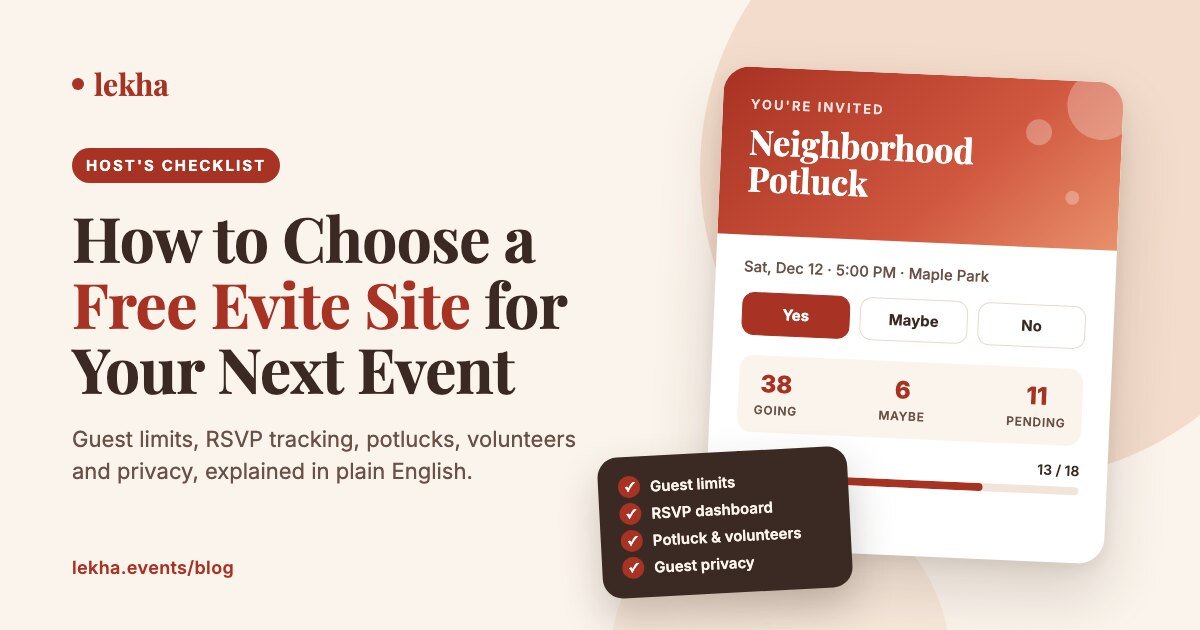
The best free evite site for your event is the one that fits your guest list, collects RSVPs without making guests sign up, sends reminders for you, and handles whatever else your event needs, like a potluck, volunteers or a headcount for kids. Most free invitation sites look alike on their home page. They differ in the fine print: guest limits, upsells, what your guests have to do to reply, and what happens to their contact details afterward.
This guide gives you a 7-point checklist, matches common event types to the features they need, and walks through a 10-minute test to run before you send a real invitation.
Key takeaways
- Start with your guest count. Free plans range from a few invites per event to no cap at all. Check this first.
- Test the guest side, not just the host side. If guests need an account or an app to reply, fewer of them will.
- Automatic reminders matter more than templates. They're what get the late replies in.
- Think past the RSVP. Potlucks, volunteer shifts and kids' headcounts usually push hosts into a second app. Choose a site that already does them.
- Read the privacy policy. Your guests replied to a party invitation. They didn't sign up for a mailing list.
What is a free evite site?
A free evite site lets you design a digital invitation, send it by email, text or a shareable link, and collect RSVPs online without paying. "Evite" started as a brand name but is now commonly used for any e-invitation, the way people say "Google it" for any search. Free evite sites usually include templates, a guest list, an RSVP page and a dashboard showing who's coming. The better ones also send reminders and handle sign-ups for food, supplies or volunteers.
The 7-point checklist for choosing a free evite site
1. Guest limits on the free plan
This is where "free" most often runs out. Some sites cap how many guests you can invite per event, some cap how many events you can run per month, and some have no stated cap. If you're planning a 150-person community fundraiser, a 25-guest limit makes the site useless to you, however nice its templates are.
Check: the pricing page, not the home page. Look for limits per event and per month.
2. What your guests have to do to reply
Every extra step costs you replies. The best experience is a link that opens in any browser, with Yes, Maybe and No buttons and nothing else in the way. Ask yourself:
- Do guests have to create an account or download an app?
- Are they asked for a phone number before they can reply?
- Does the invitation page push them to upgrade or buy add-ons?
Check: send a test invitation to yourself and RSVP from your phone, as a guest would.
3. RSVP tracking and automatic reminders
A good dashboard shows Going, Maybe, Declined and No reply at a glance, ideally with adults and kids counted separately. Reminders do more for you than templates do: the site should nudge only the people who haven't replied, so you don't have to message everyone yourself.
Also look for an RSVP deadline (useful for caterers and venues) and a CSV export, so your guest list is never stuck on one site. For more on this, see how to track RSVPs for free.
4. How invitations reach your guests
Your guests aren't all in one place. Some read email, some only answer texts, and family groups often live on WhatsApp. Choose a site that lets you send by email and share one link anywhere (text, WhatsApp, a group chat, social media, a printed QR code), so every guest ends up on the same RSVP page.
5. Coordination beyond "yes" or "no"
This is the point most hosts forget. If your event involves any of the following, you need more than an RSVP button:
- Potlucks. Guests claim dishes so you don't end up with four pasta salads and no plates.
- Volunteer shifts. Setup crew, the welcome table, cleanup.
- Supplies and sign-ups. Classroom parties, team snacks, fundraisers.
- Kids-only events. Drop-off parties where you need parent contacts and the children's names.
Many hosts end up using an invitation site plus a separate sign-up sheet plus a spreadsheet. One site that does all three saves time and avoids confusion for guests.
6. Design, and what it really costs
Templates are what draw you in, so check what's actually free. Premium designs, envelopes, stickers and animations are often locked behind a paywall that you only reach after you've built the invitation. Also check whether you can upload your own photo or design, which is handy if you've already made something in Canva.
7. Privacy and your guests' data
When you send an invitation, you hand the site your friends' and family's contact details. Before you send, check three things in the privacy policy:
- Does the site send marketing emails to your guests after they RSVP?
- Does it sell or share guest contact details?
- Does it collect more than the event needs, such as a required phone number or account?
Look for a clear statement in the policy itself. A policy that simply doesn't mention it doesn't count as a no.
Match the site to your event
| Event type | Must-have features | Nice to have |
|---|---|---|
| Kids' birthday party | Adult + kid headcounts, reminders, Maybe option | Kids-only/drop-off mode, parent contact details |
| Potluck or Friendsgiving | Dish sign-up with slot limits | Dietary notes, guest comments |
| Community or nonprofit event | No low guest cap, volunteer shifts | Co-hosts, CSV export |
| Baby or bridal shower | Beautiful templates, RSVP deadline | Gift or activity sign-ups |
| Wedding or multi-day celebration | Large guest list, plus-ones, deadline | Co-hosts, guest messages |
| School or team event | Sign-up sheets, shareable link | QR code for flyers |
Run a 10-minute test before you commit
Before you send a real invitation, spend 10 minutes trying out each site on your shortlist:
- Create a test event with a real date and place.
- Invite yourself at two addresses (for example Gmail and a work email) and check whether it lands in spam.
- Open it on your phone and RSVP without logging in.
- Change your RSVP from Yes to Maybe. Does the dashboard update right away?
- Look for the reminder settings. Can you schedule reminders, or only send them by hand?
- Add a sign-up item (a dish or a volunteer slot) and claim it as a guest.
- Export the guest list. If you can't, your data is stuck there.
Whichever site passes all seven steps is the one to use.
Red flags to watch for
- Guests must register before they can see the event details
- The guest limit only appears after you've designed the invitation
- Ads or upgrade offers next to your event details
- No way to message only the guests who haven't replied
- No guest-list export
- A vague privacy policy about marketing to guests
Where Lekha fits
Lekha is built for hosts who need more than an RSVP button. Invitations, real-time RSVP tracking, automatic reminders, potluck sign-ups, volunteer sign-up sheets and stand-alone sign-up sheets all work from one place. Guests reply with one tap from any browser, with no app and no account. You can share by email, link, WhatsApp or QR code, add co-hosts, set an RSVP deadline and export your guest list whenever you like. Lekha is free during early access, and it doesn't sell guest contact details.
Send your first free invitation in minutes
RSVPs, reminders, potlucks and volunteer sign-ups in one link. Free during early access.
Frequently asked questions
Are free evite sites really free?
Many are free to start, but limits differ: guests per event, events per month, premium templates, or ads on the invitation page. Check the pricing page for limits per event and per month before you build your guest list. Lekha is free during early access, with RSVP tracking, reminders and sign-up sheets included.
Do guests need an account to RSVP to an evite?
That depends on the site. Some require guests to sign up or download an app, and this usually lowers response rates. On Lekha, guests open the link in any browser and reply with one tap, with no account and no app.
What's the best free evite site for a potluck?
Choose a site where guests can claim dishes on the invitation itself and where you can limit how many people bring each category, so the meal stays balanced. Lekha's potluck sign-up attaches to your invitation, so guests RSVP and claim a dish in the same step.
Can I send a free evite by text message or WhatsApp?
Yes. Most modern evite sites give you a shareable link you can paste into a text, WhatsApp group or social post. Every guest then lands on the same RSVP page, whichever app they opened it from.
How do I get more guests to RSVP?
Remove friction and automate follow-ups. Use a site that doesn't require guest accounts, set a clear RSVP deadline, and turn on automatic reminders that go only to guests who haven't replied. Sending through the channel your guests already use, such as WhatsApp or text, also helps.